
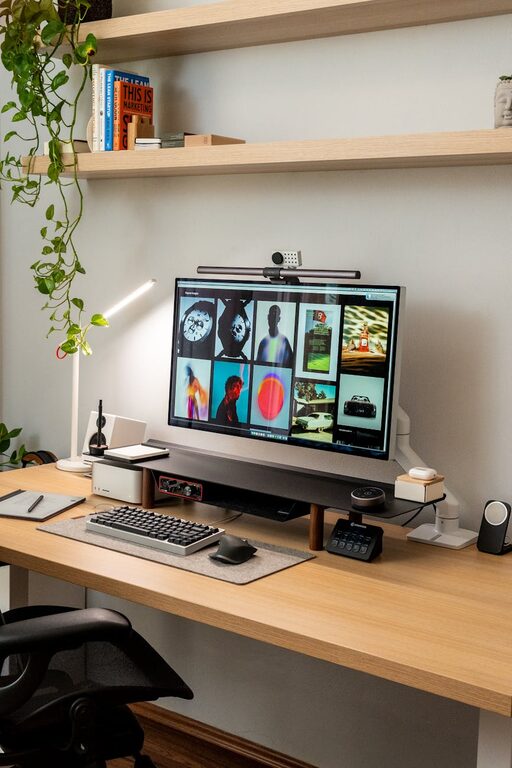
Creating a clutter-free home office workspace can significantly improve your focus and productivity. A well-organized office helps reduce stress and saves time by making it easier to find what you need. Whether you work from home full-time or occasionally need a designated spot for tasks, organizing your workspace can make a big difference.
Why a Clutter-Free Workspace Matters
A messy desk often leads to distractions, lost documents, and unnecessary frustration. In contrast, a neat and orderly area promotes concentration and encourages a positive mindset. A clutter-free workspace also helps maintain a professional appearance, especially if you join video meetings from your home office.
Steps to Organize Your Home Office
1. Declutter First
Start by removing everything from your desk and shelves. Sort your items into three piles: keep, discard, and relocate. Be honest about what you actually use and need. Paperwork, supplies, and gadgets that haven’t been touched in months likely fall into the discard or relocate piles.
2. Choose Functional Storage Solutions
Use storage containers, file organizers, and shelving to keep your essentials within reach but off your desk surface. Consider clear boxes or labeled bins to quickly identify contents. Drawer dividers are excellent for keeping small items like pens, paperclips, and sticky notes tidy.
3. Keep Only Daily Use Items at Hand
Limit the items on your desk to those you use frequently, such as your computer, a notepad, and a pen holder. Store other materials, like reference books or spare office supplies, in nearby cabinets or shelves.
4. Create a Paper Management System
Paper clutter is a common challenge in any office. Set up an inbox for incoming documents and a filing system for important papers. Regularly review and file or shred documents to prevent buildup. Digital scanning and storage can further reduce paper piles.
5. Use Cable Management Techniques
Cables can easily tangle and create visual disorder. Use cable clips, sleeves, or ties to bundle cords neatly. Position your power strip under your desk or behind furniture to keep cables out of sight.
6. Position Your Desk for Productivity
Place your desk in a spot with good natural light to reduce eye strain and improve mood. Ensure easy access to outlets and office supplies. If possible, keep your workspace separate from distractions like TV rooms or busy household areas.
7. Personalize Without Overcrowding
Add a few personal touches such as a plant, photo frame, or artwork to make your office inviting. However, avoid overcrowding your desk as it can quickly become cluttered again.
8. Set Daily and Weekly Tidying Habits
Spend a few minutes at the end of each workday putting things back in place and clearing your desktop. Weekly, do a more thorough check to reorganize supplies, file papers, and dispose of things no longer needed. This small routine will maintain your clutter-free environment.
Recommended Tools and Supplies
– Drawer dividers
– File folders and organizers
– Cable clips or sleeves
– Desk trays or stacking organizers
– Label maker or labels
– Compact storage bins or crates
– Monitor stand with space underneath
Final Thoughts
Organizing your home office is an ongoing process rather than a one-time task. By following these tips, you can create a comfortable, clutter-free workspace that supports your productivity and makes working from home more enjoyable. Start with small changes and gradually build organization habits that last.
Remember, the goal is not just a neat appearance but a functional space tailored to your work style and needs. Happy organizing!